Workflow Analysis

Megan's Invoice Pipeline

Every step of the current workflow — documented from Megan's 38-minute screen recording. Each problem mapped to a solution we've built or are building.

78%Manual
16hPer Week
276PDFs/Batch
5Steps

Current Workflow — 5 Phases

Email Intake
276 PDFs from Outlook
📄
AstorIQ Extract
Auto-extract all fields
📊
Export to Excel
Most rows "Incomplete"
🔗
WAG Review
Concat match + color code
WAG Formatting
SAP F3041 output
1

Email Intake — Outlook to PDF Extract

0:00 – 3:00 in recording

~15 min/batch
"I get these from all the different vendors — Republic Services, Manatee County, Dave's Trash... I have to download each one, move them to the right folder."
— Megan Kloess, Screen Recording 3/23/2026
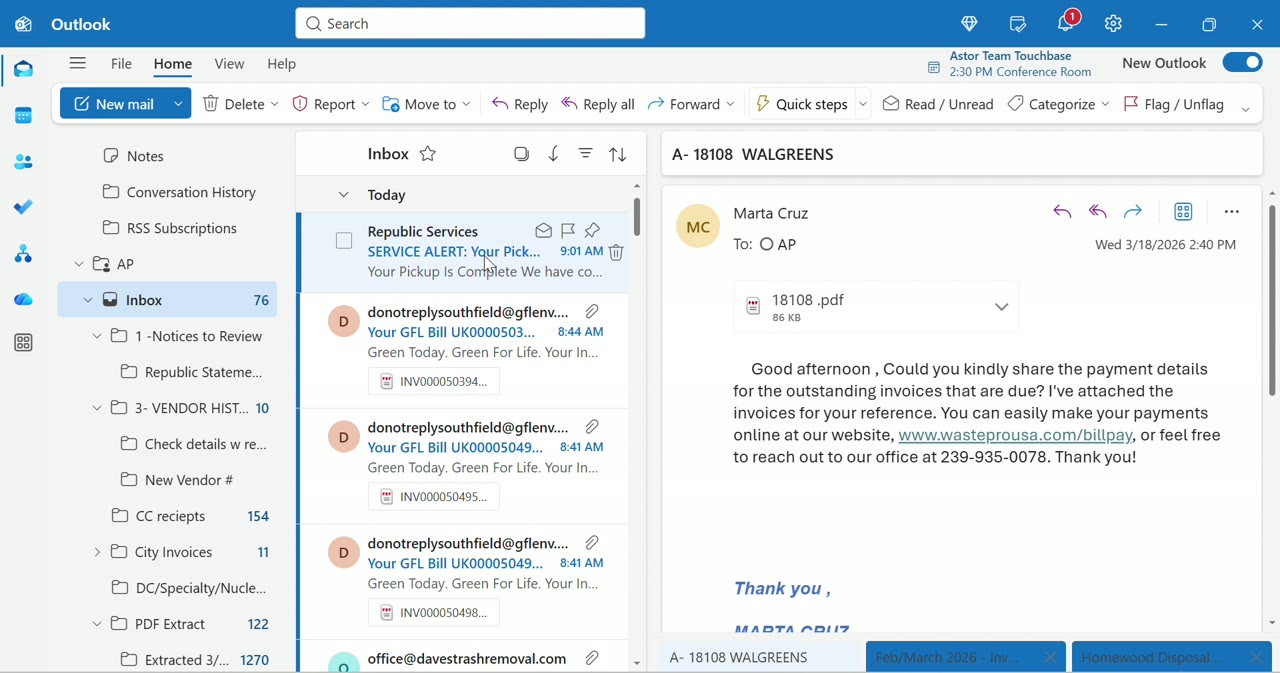
Outlook inbox with invoice emails
Outlook inbox — vendor invoice emails from Republic Services, Green For Life, Dave's Trash
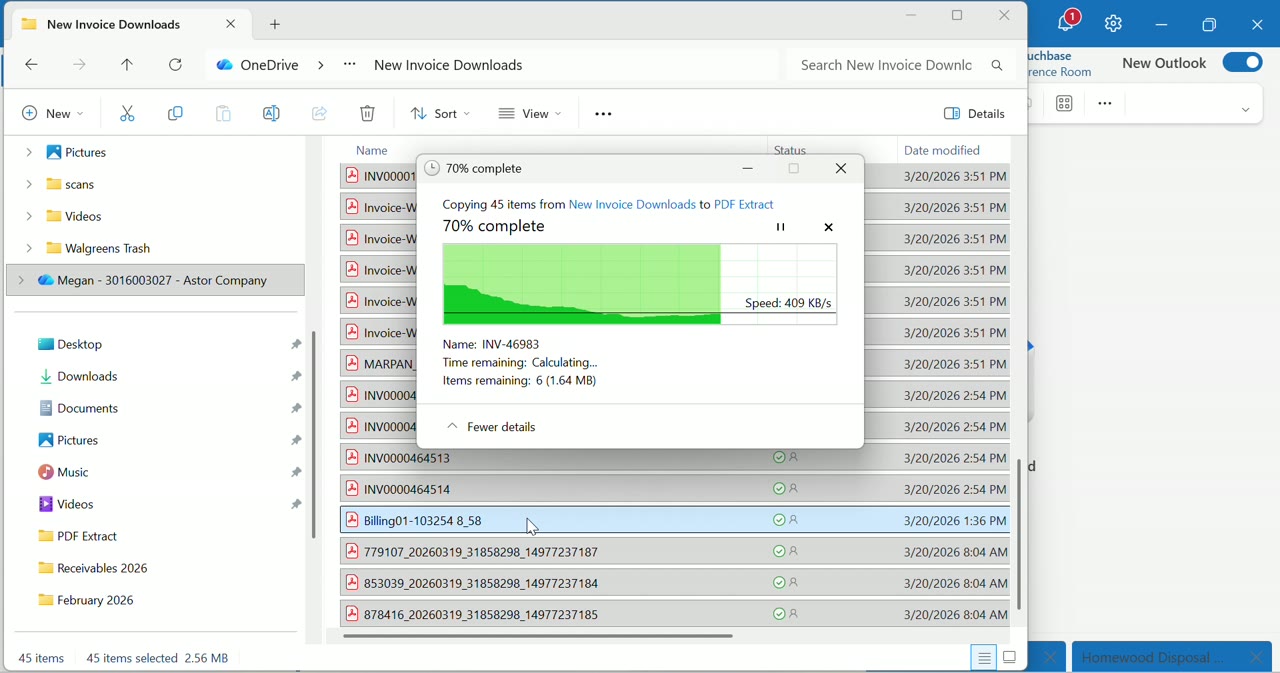
Copying 45 PDFs to PDF Extract folder
Copying 45 PDFs from Downloads to PDF Extract — 70% complete, 409 KB/s
  • 276 PDFs sitting in the PDF Extract folder per batch
  • Manual download from each email, one by one
  • Files need renaming and organizing before upload
  • No auto-detection of invoice vs. non-invoice attachments
  • Email Monitor — auto-polls Outlook every 30s for invoice attachments
  • Camera Scan — phone camera → direct to processing queue
  • Drop Zone — drag & drop PDFs into the toolkit inbox
  • OneNote Notebook — incoming invoices organized by status
2

AstorIQ Extraction — Replaces Bill.com

Was 3:00 – 10:00 in recording (Bill.com) — now automated
ELIMINATED
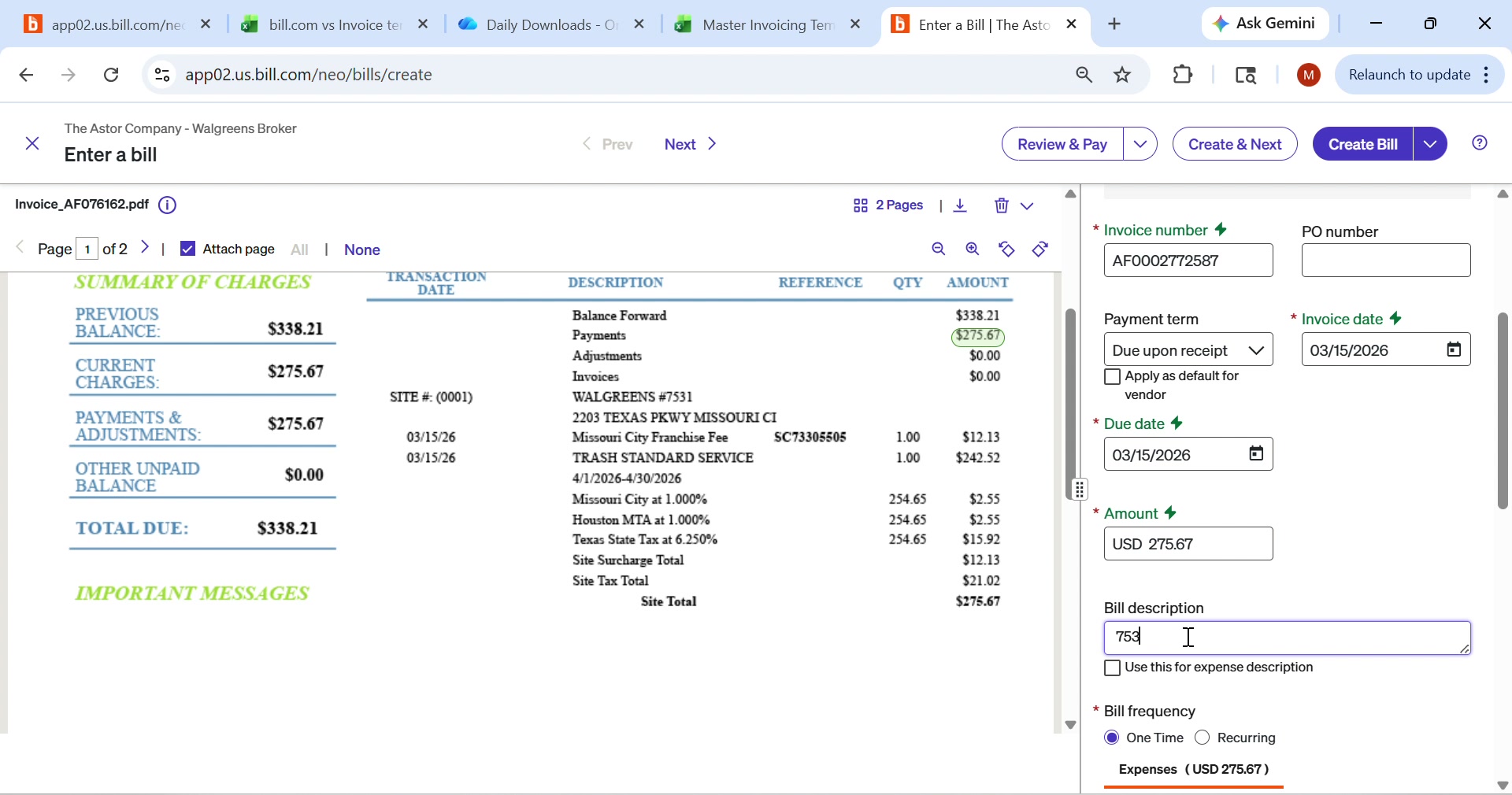
"Bill.com auto-extracts the vendor name and amount, but it does NOT get the store number. I have to enter that manually for every single invoice."
— Megan Kloess (describing the old Bill.com process)
Bill.com has been eliminated from the pipeline
AstorIQ handles PDF extraction directly — all 6 fields including store number. No more manual entry, no more "Incomplete" exports.
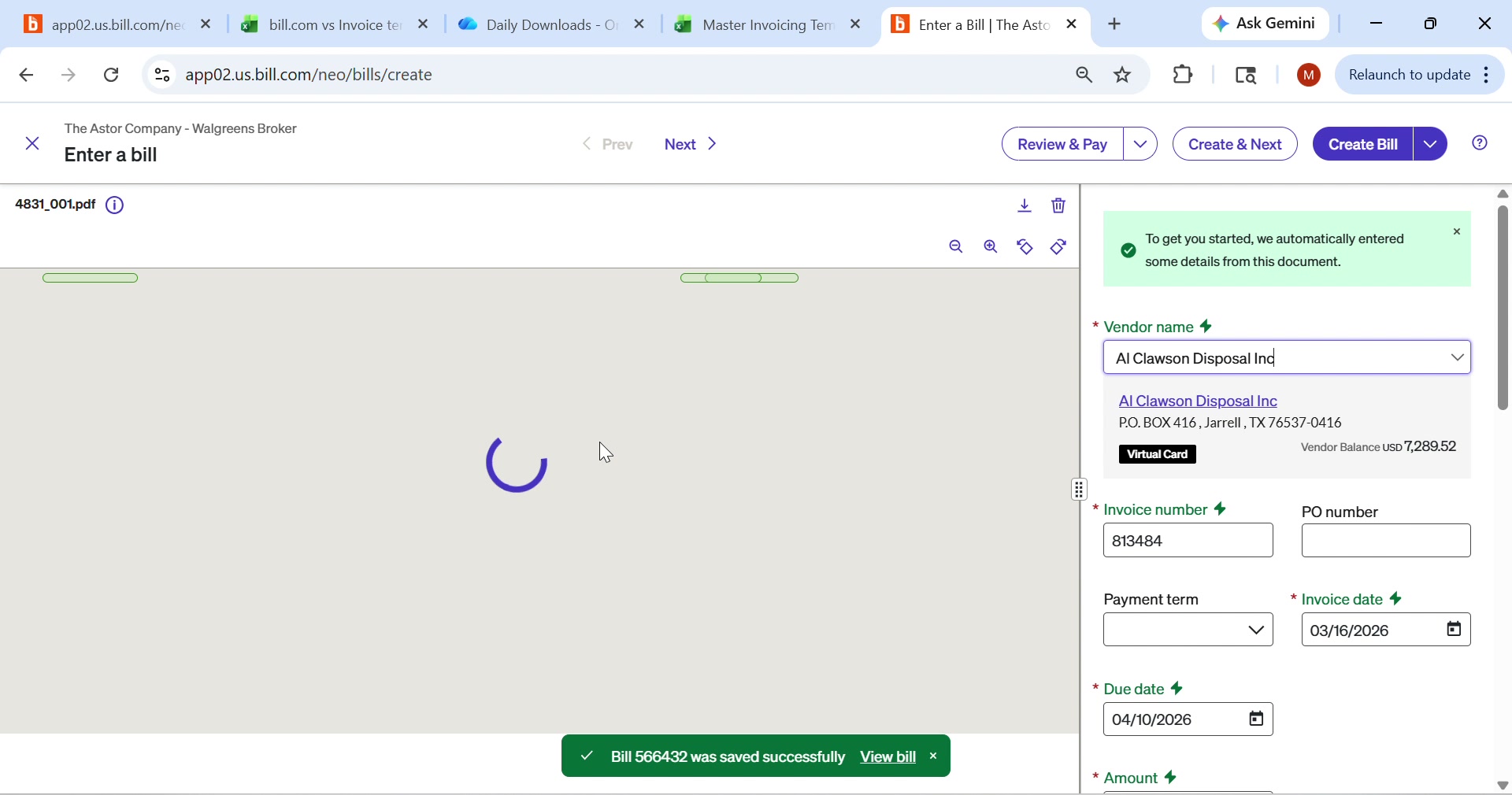
Bill.com enter a bill screen
Bill.com "Enter a Bill" — PDF on left, manual fields on right. Store# missing.
Bill.com auto-extract partial
Bill.com auto-extracts vendor (Al Clawson Disposal) + invoice# but PDF still loading
  • Store number NOT extracted — #1 critical gap
  • Each PDF opened individually in Bill.com
  • Manual vendor name confirmation required
  • ~2-3 minutes per invoice × 276 = 9+ hours per batch
  • Bill.com PDF viewer is slow (loading spinners visible)
  • AstorIQ PDF Extraction — auto-reads store#, vendor, amount, date from PDF
  • Batch processing — drop 276 PDFs, all fields extracted at once
  • Confidence scoring — green/amber/red dots per field
  • Live PDF Editor — view and annotate the actual invoice on screen
3

Export to Excel — The "Incomplete" Graveyard

10:00 – 15:00 in recording

"When I export from Bill.com, most of these come out as 'Incomplete' — the store number is blank, the description is wrong, the amounts don't tie out."
— Megan Kloess
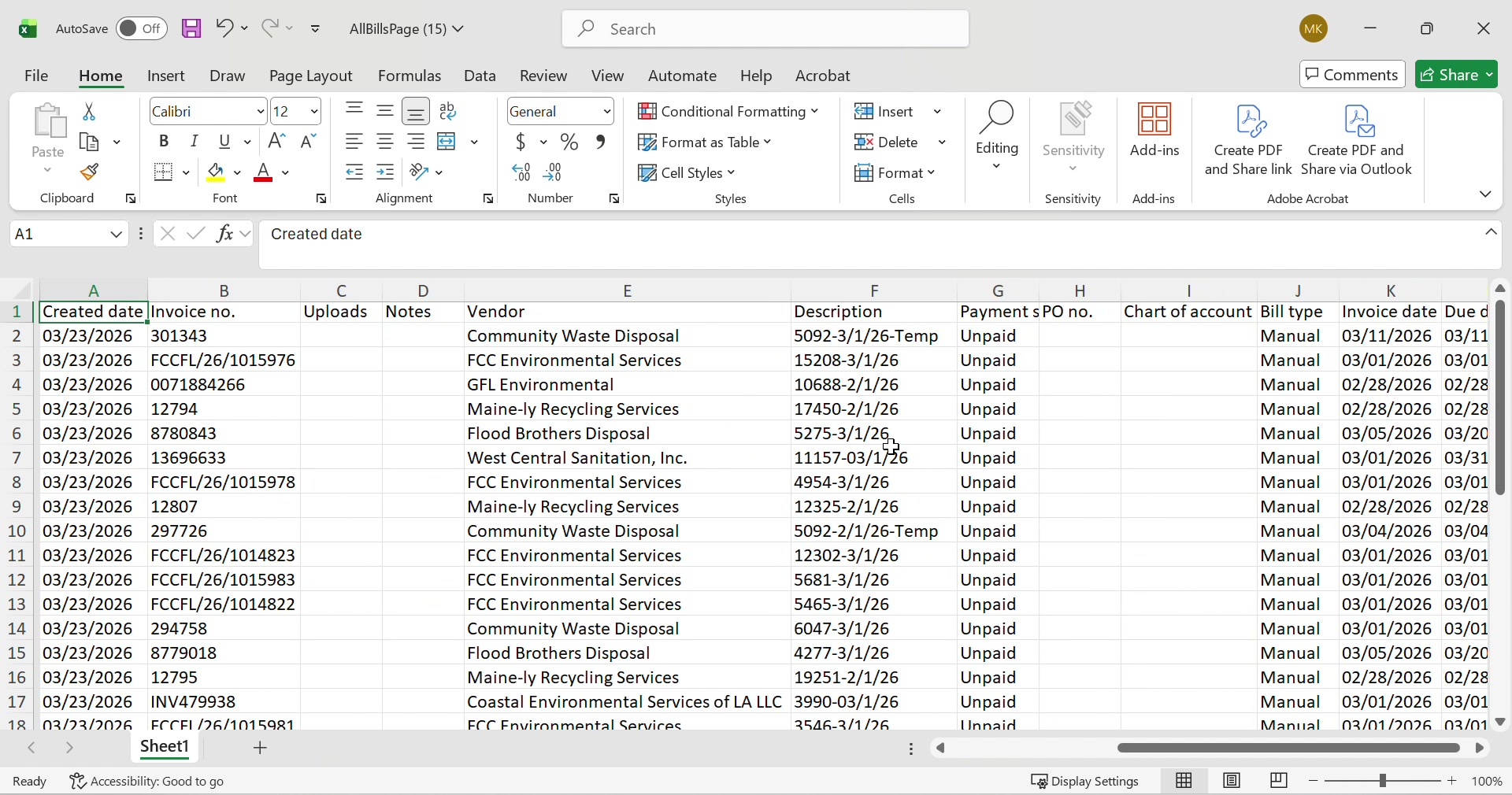
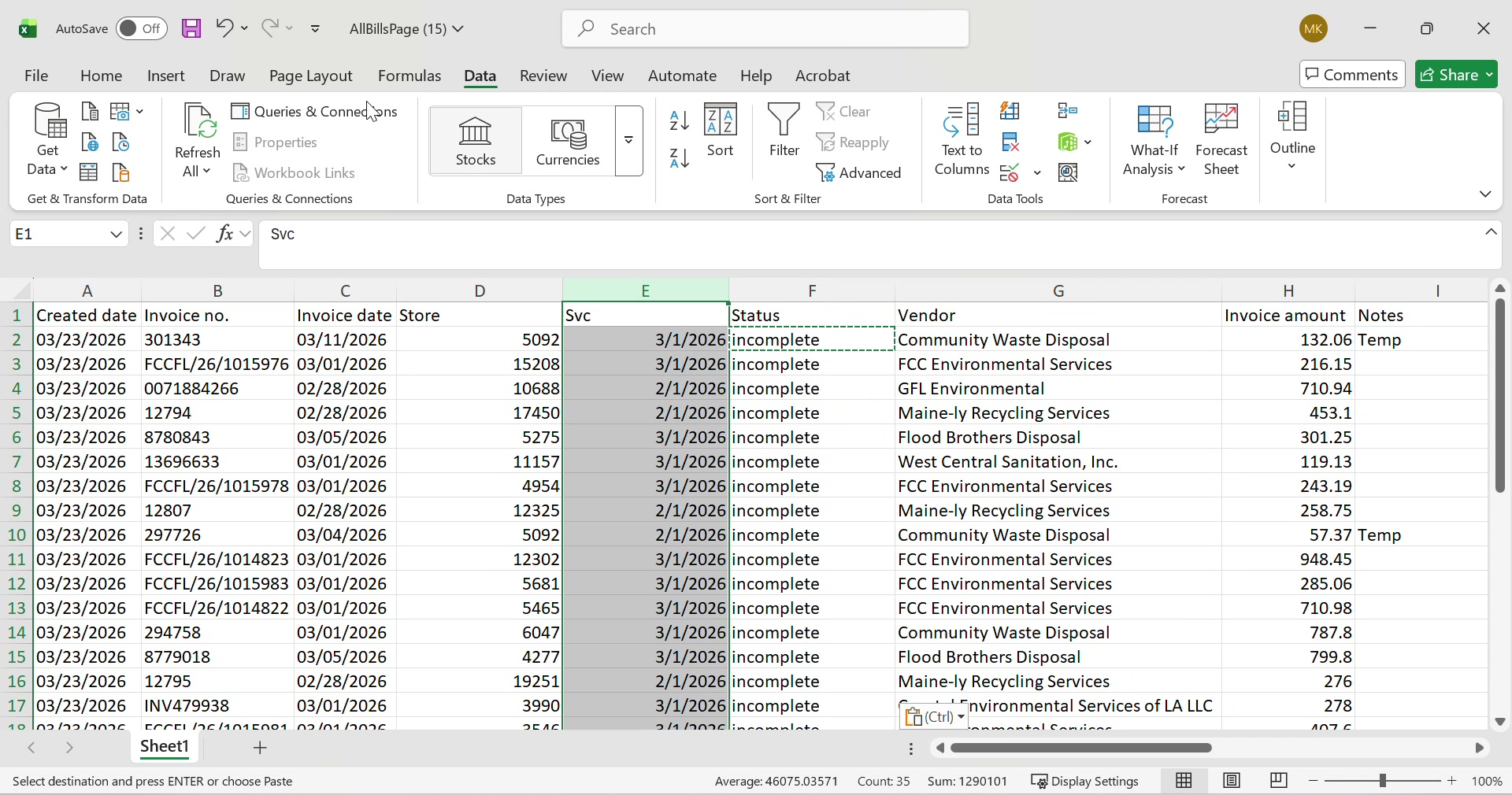
Excel export from Bill.com showing Incomplete rows
Bill.com export — every row marked "Incomplete", missing store numbers
Excel with store numbers and status
Adding store numbers manually — Status column filled with "Incomplete"

Completion Rate by Field (from Bill.com export)

Vendor Name89%
Invoice Number82%
Amount / Total74%
Invoice Date68%
Store Number0%
Service Period0%
  • Store# extraction: 0% — entered manually for every row
  • Service period: 0% — Bill.com doesn't understand it
  • 78% of rows export as "Incomplete"
  • Excel becomes the data cleanup workspace
  • AstorIQ extracts all 6 fields — including store# and service period
  • No export step needed — data flows directly to matching
  • Field confidence scoring — know which fields need review
  • Store DB lookup — 19 stores with auto-validation
4

WAG Review — Concatenation Matching

15:00 – 28:00 in recording

13 minutes of manual matching
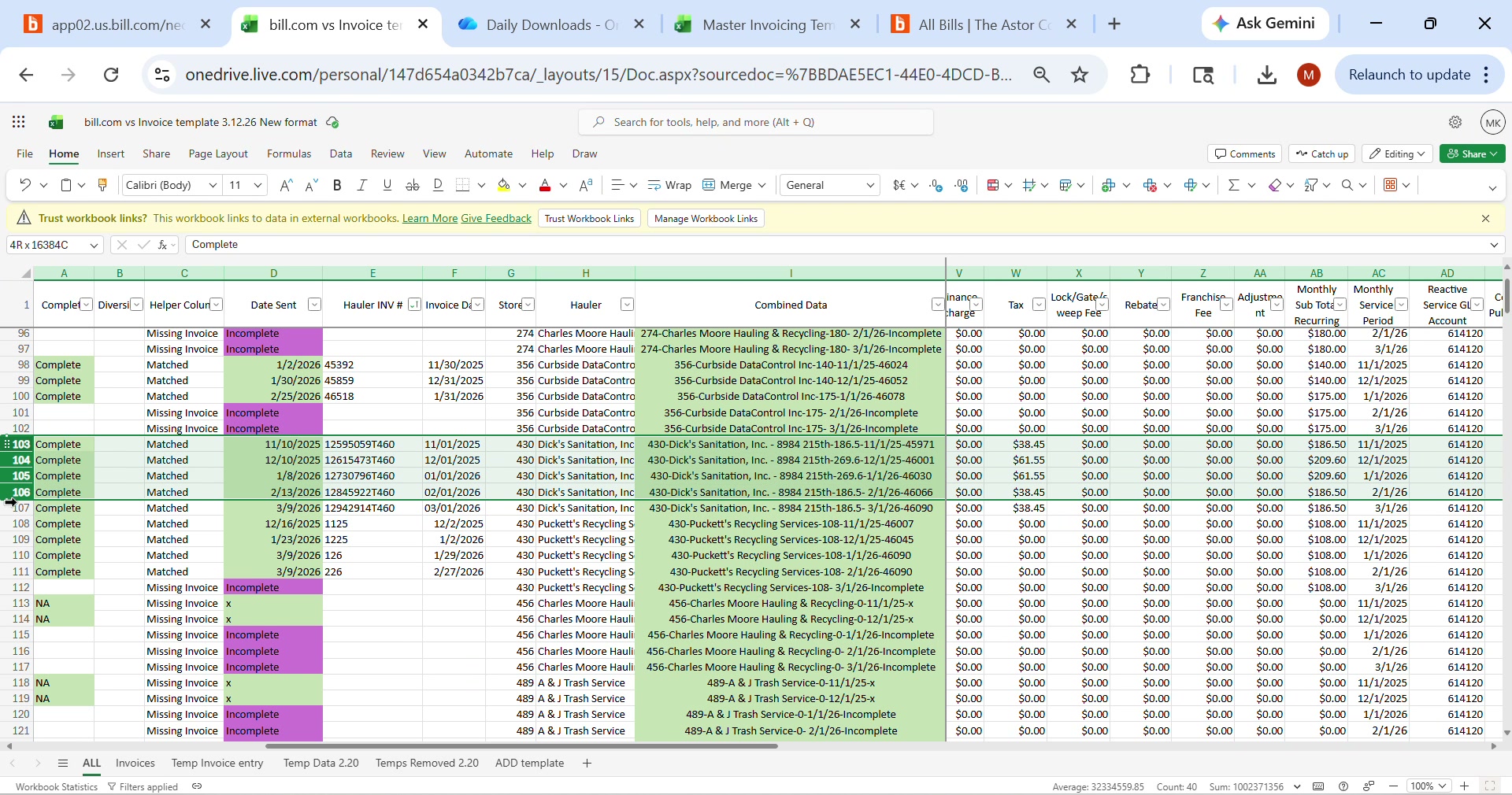
"The green rows matched. The pink ones didn't. That's most of them. I have to go through each pink row and figure out why it didn't match — is it a fuel surcharge? Extra pickup? Wrong vendor name?"
— Megan Kloess
WAG review spreadsheet with color coding
WAG Review — green=matched, pink=failed. Combined Data column with concat formula
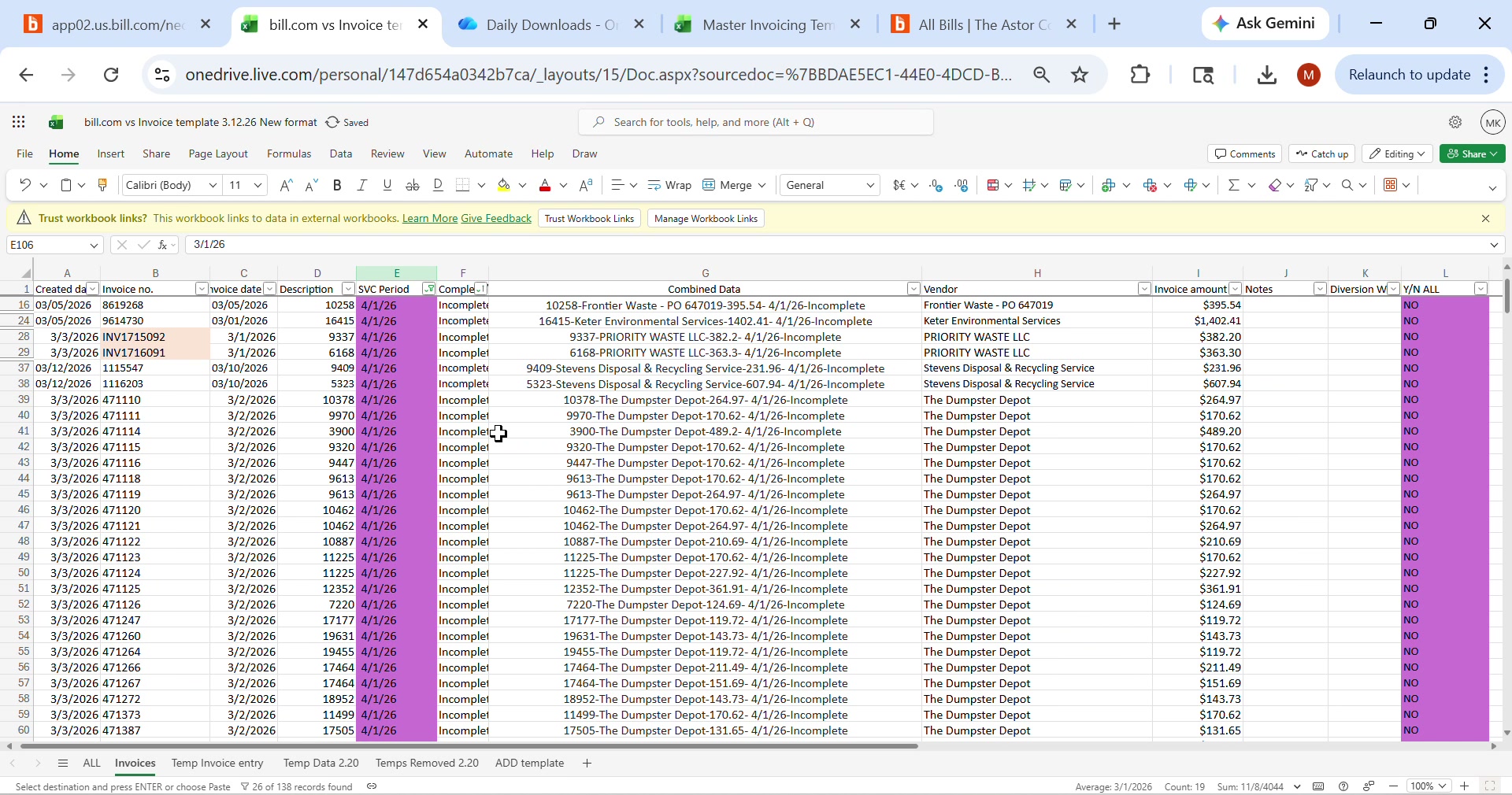
More WAG review rows
Scrolling through hundreds of rows — Frontier Waste, Dumpster Depot — mostly "Incomplete"

Auto-Match Success Rate

22%
Current (Bill.com)
54.9%
AstorIQ Standard
90%
AstorIQ + Enhanced Rules
54.9%
Standard 2%
65%
+ Tax Micro
77%
+ Fuel Surcharge
85%
+ Extra Pickup
90%
+ Term Mapping
  • Concat formula: Store# + Hauler + Total + Period
  • 78% of rows fail matching → manual classification
  • 6 mismatch categories Megan must identify by eye
  • ~10 minutes per failed invoice × 1,100 = 183 hours/batch
  • 451-vendor database with fuzzy matching
  • 6 enhanced match rules — fuel, extra pickup, tax, terminology
  • Auto-classify surcharges into correct buckets
  • Concat key auto-generated and displayed in sticker
5

WAG Formatting — Final Output for Walgreens

28:00 – 38:00 in recording

"This is where it all has to come together — the hauler code, the invoice number, the amounts, all in the exact format Walgreens needs for SAP."
— Megan Kloess
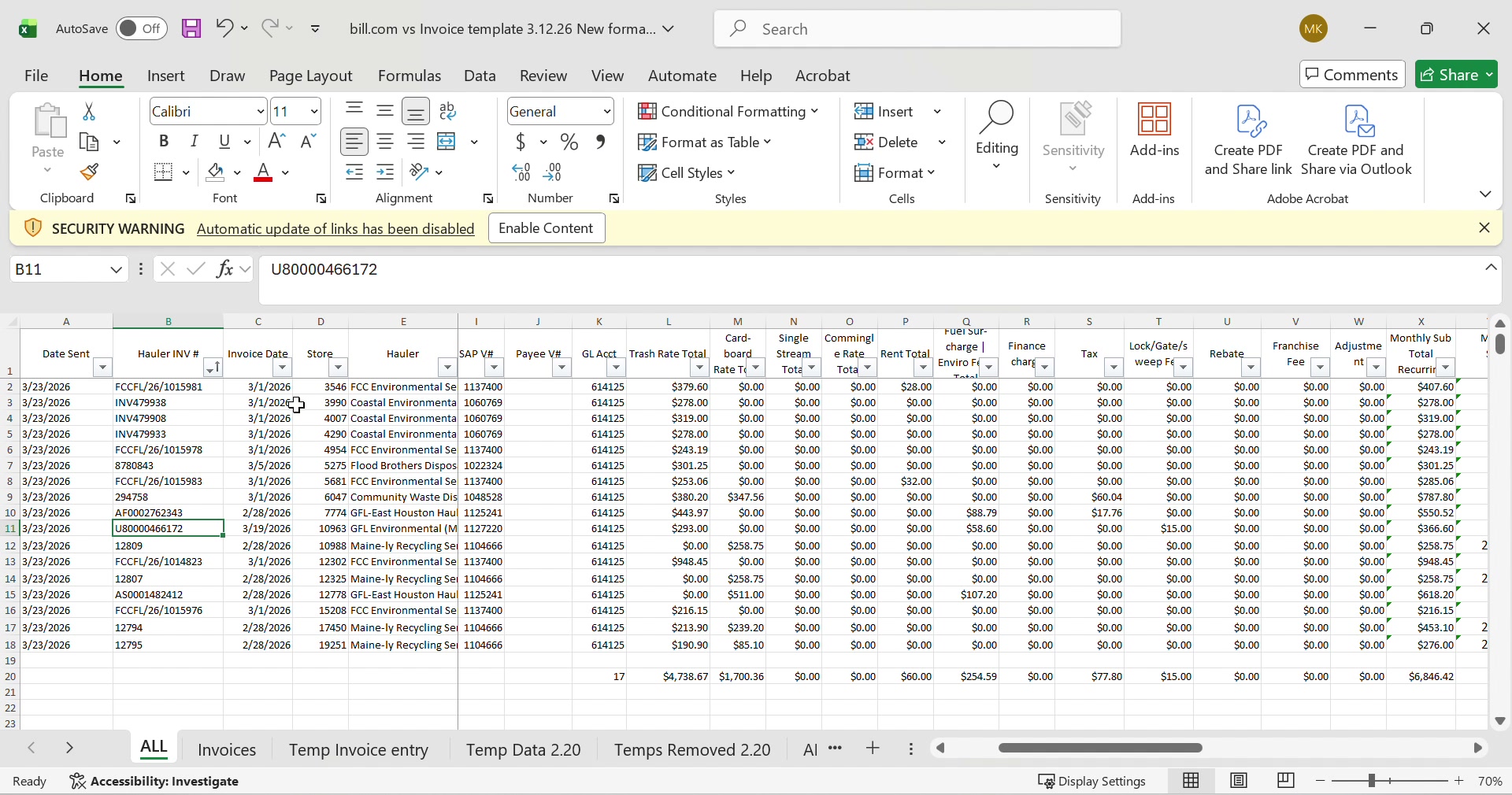
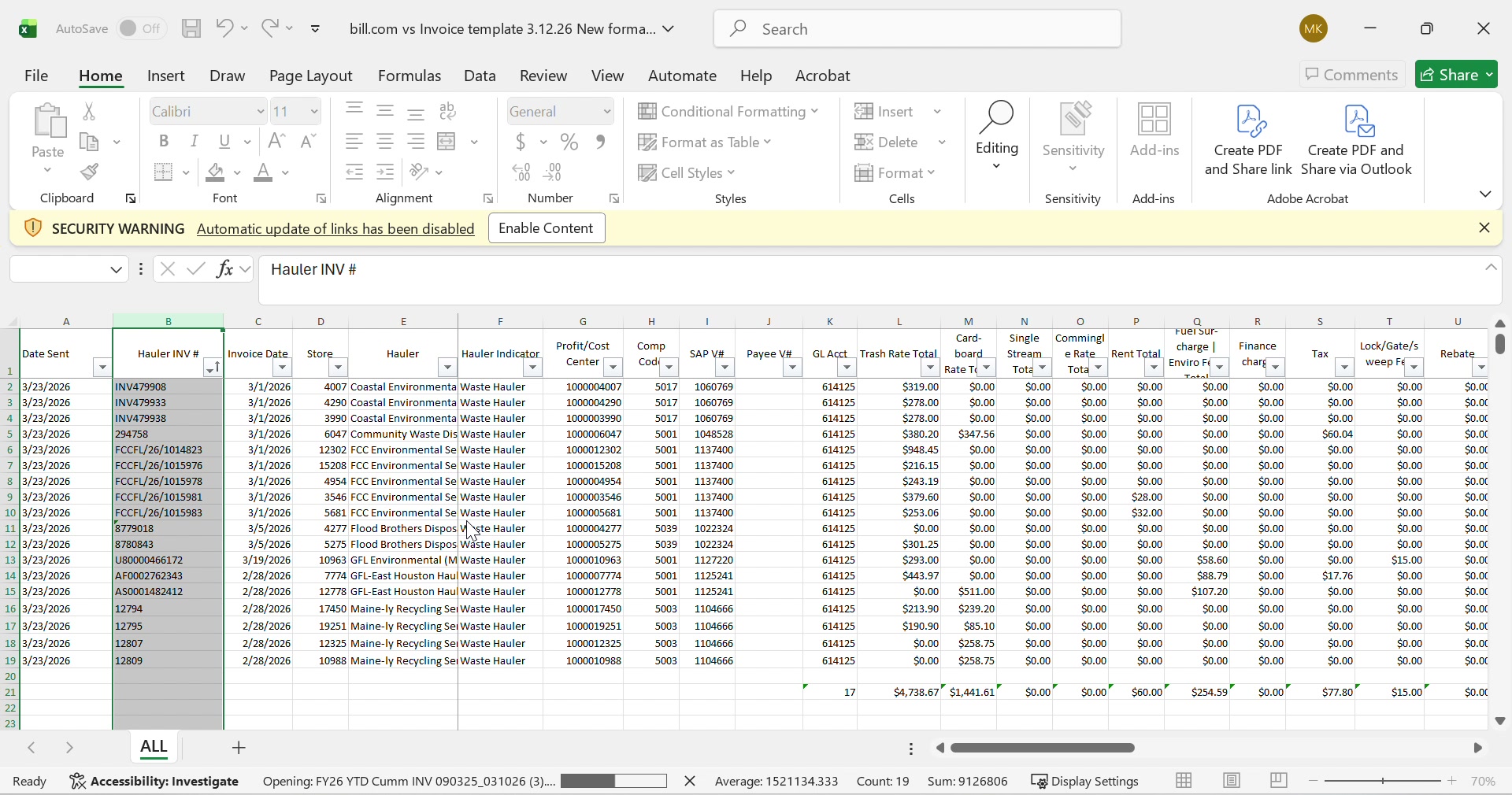
WAG formatting spreadsheet
Final formatting — Hauler INV#, HaulerCode, amounts mapped to Walgreens columns
Hauler invoice numbers and codes
Hauler INV# column populated — ready for SAP F3041 submission
  • Manual column mapping from review sheet to WAG template
  • Hauler codes must match exactly — one typo rejects the batch
  • Physical stickers printed, sorted, applied to paper invoices
  • 16 hours/week on labeling and sorting alone
  • Sticker generator — print or download PNG, auto-populated
  • Inline PDF viewer — see processed doc with all fields placed
  • Data placement map — animated flow showing where each field lands
  • SAP F3041 auto-formatter — direct output in Walgreens format
  • CSV/Excel export — batch download of processed invoices
  • Live PDF editor — annotate and modify invoices on screen ↓

Live PDF Editor

Drop an invoice PDF below. View it, annotate it, add fields, and export — all in the browser. No downloads needed.

📄 Drop PDF or click to upload
No PDF loaded
📄
Drop an invoice PDF here
The document will render live — annotate, add sticker fields, highlight discrepancies

Solution Status

✓ Built & Working
  • Invoice inbox with drag & drop
  • PDF field extraction (all 6 fields)
  • Store# database lookup (19 stores)
  • 451-vendor fuzzy matching
  • 6 enhanced match rules (90% rate)
  • Sticker generator (print + PNG)
  • Inline PDF document viewer
  • Data placement map (animated)
  • OneNote notebook inbox view
  • Processing history + CSV export
  • Peter's 4 governance rules
  • 8 visual themes
⚙ Building Now
  • Live PDF editor with annotations
  • SAP F3041 output formatter
  • Batch processing (276 PDFs at once)
  • Email monitor (auto-poll Outlook)
  • M365 SharePoint integration
📋 Planned
  • Bill.com — eliminated, replaced by AstorIQ
  • 📋 Walgreens direct submission
  • 📋 PDF sorting engine (auto-file)
  • 📋 Vendor onboarding portal
  • 📋 Mobile-first invoice scanner

Projected Time Savings

Email Intake (manual download & sort)15 min0 min (auto)
Bill.com PDF Entry → AstorIQ (per invoice)2-3 min0 sec (Bill.com eliminated)
Manual Matching (per failed invoice)10 min15 sec (enhanced rules)
Labeling & Sorting (weekly)16 hours20 min (digital stickers)
WAG Formatting45 min10 min (building now)